01 / Read
Understand more.
- Translate
- Translate into your chosen language
- Summarize
- The essentials from a longer read
- Explain
- Complex ideas in plain language
- Fact Check
- Assess claims using model knowledge, without web search
 Typer On
Download
Typer On
Download
Built for macOS
Select text. Translate, explain or rewrite it with your own AI actions, right by your cursor. Review the result and carry on where you left off.
macOS 26+ Apple Silicon
Free for individuals. Connect your own AI provider.
Hi team, please send your commments by Friday. I will then update the plan.
Hi team, please share your feedback by Friday so I can update the plan.
Select a sample, then choose an action.
01 / Read
02 / Write
In your mail, notes or editor - wherever the app makes its selected text accessible.
03 / Make it yours
Turn meeting notes into tasks. Cut the jargon. Get a summary in your own format.
Save an instruction as a module. It joins the same toolbar beside your cursor.
Create your actionsYou stay in control
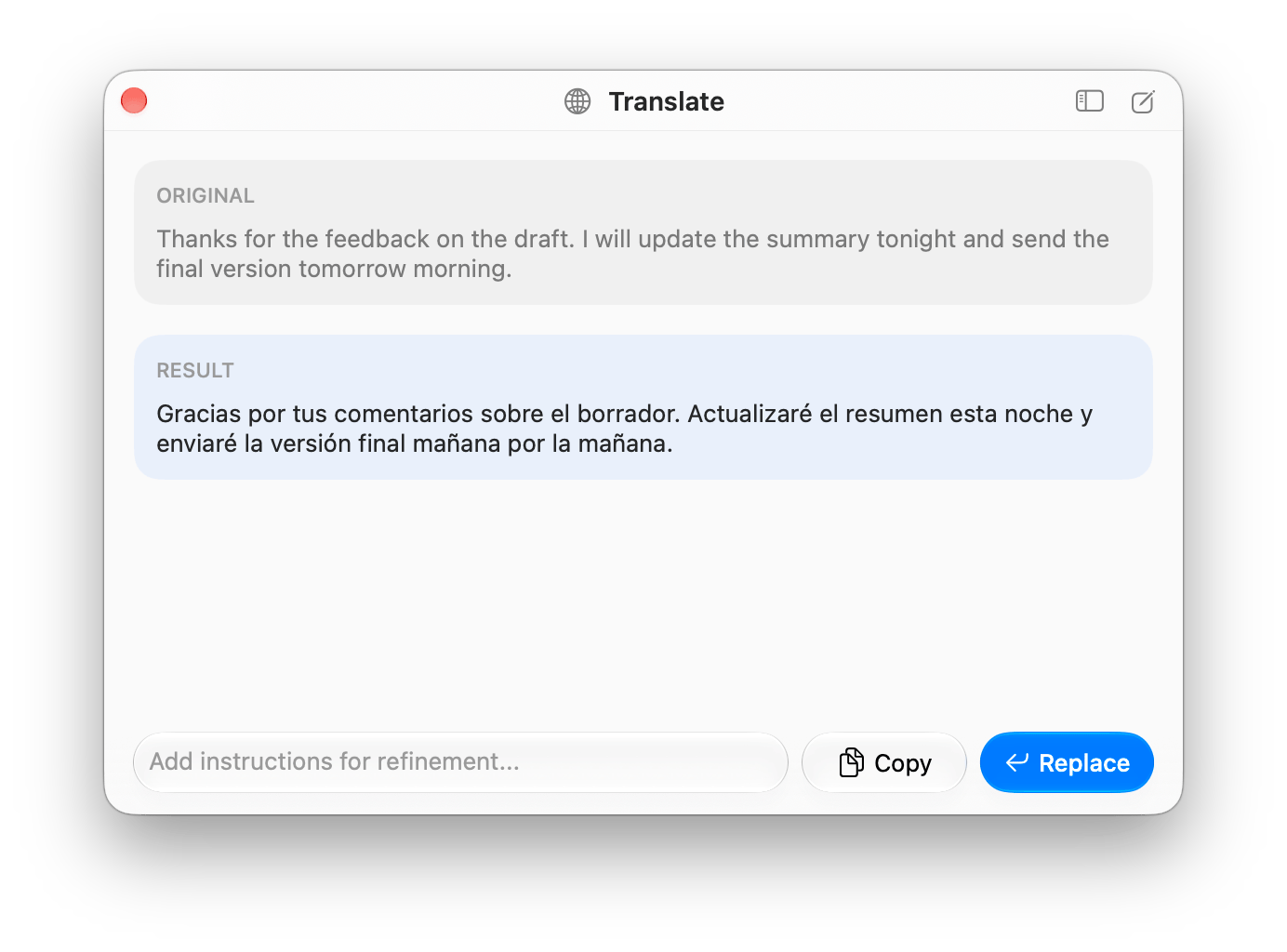
Add an instruction: shorter, warmer, focused on the main point. Keep refining without starting over.
Copy keeps the original. Replace puts the result in place of your selected text.
Review comes first by default. Enable automatic replacement individually for the modules you trust.
Your actions
A good prompt is worth keeping.
Name your module, choose an icon and describe the task. Find it in the selection toolbar and menu bar quick actions.
Try Action Items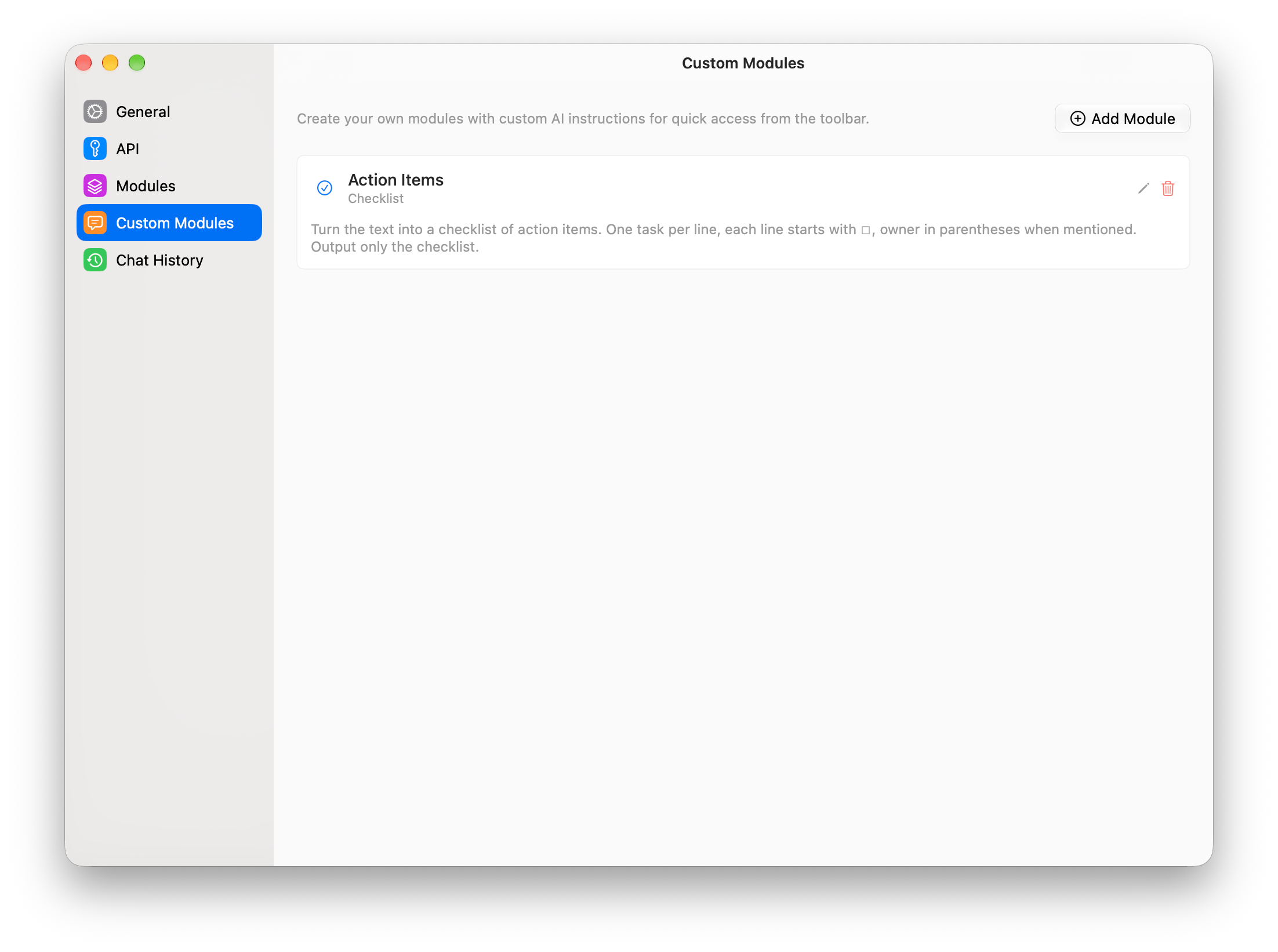
Turn this text into a checklist.An example custom prompt
One task per line.
Include the owner when mentioned.
A module is a prompt for a model. It does not run scripts, plugins or system automation.
The choice is yours
Connect your own AI. Text actions, refinements and chat use the same provider. Typer On never switches it automatically.
Your API key and a model from the catalog.
The selected model and OpenRouter set the terms.
Your own OpenAI-compatible server, such as Ollama or LM Studio.
Your server and its computing resources.
The official Codex CLI, installed and signed in with your ChatGPT subscription.
Your subscription terms and usage limits apply.
The official Claude Code CLI, installed and signed in with your Claude subscription.
Your subscription terms and usage limits apply.
Screenshots require confirmed image-input support; local connections do not accept them. Image generation is available through compatible OpenRouter models, but not through Codex or Claude Code.
Know where your data goes
Typer On has no server or analytics. Selection is handled on your Mac; running an action sends the text to your chosen provider. Its data policies still apply.
API keys stay in macOS Keychain. Local history keeps up to 500 chats and module runs on your Mac, including source text and responses. Images are not saved in history.
Read the privacy detailsA small independent project
For individuals acting on their own behalf, including independent professional work.
No Typer On subscription. AI services have their own fees and terms.
Get the appFor companies, nonprofits, schools and anyone acting on their behalf, including employees and contractors. A personal Mac or AI account does not change this.
Agree on a license with the author before use. No organizational price has been published.
Individual Use License applies from version 0.4.0. Earlier Apache-2.0 releases retain their original rights. The license covers the software, not your output. See the full terms in LICENSE.
Make it part of your Mac
Just add your actions.
macOS 26+ Apple Silicon
Download the DMGbrew install --cask notime2/tap/typer-onHomebrew verifies the checksum and prepares the app for its first launch.
xattr -dr com.apple.quarantine "/Applications/Typer On.app"Use this command only for a DMG downloaded from the linked releases page.
macOS and first launch. The app uses the project's self-signed identity and is not notarized by Apple. Accessibility access is required. After an update, macOS may ask again for your Keychain password to access saved keys.
Compatibility. Auto-detection needs at least three characters and depends on the source app exposing its selection. It does not work in Yandex Browser; Google Chrome is the only verified Chromium browser. Capture with ⌥F is not guaranteed in every app either.
Language and results. The app interface is in English. AI can make mistakes, so check the meaning before replacing text.
Before your first selection
To your chosen provider when you run a module or send a message. Selecting text alone does not send it. Model catalogs and CLI checks can contact services before your first prompt; update checks require your consent. Your provider and its CLI have their own policies. Read more about your data.
It depends on how you connect. OpenRouter uses your API key, and a local server uses your own resources. Codex connects through your ChatGPT subscription; Claude Code uses your Claude subscription. Free individual use of Typer On does not include AI services.
From version 0.4.0, use on behalf of an organization requires a separate written license. Individuals doing independent professional work on their own behalf may use it for free. Earlier Apache-2.0 releases keep their original terms. Read the full license.
Typer On offers Undo Replace for manual clipboard replacement. After automatic replacement, use Undo in the source app. Availability depends on the replacement method and the app.
No. It assesses claims using the model's knowledge, without web search. It can help flag questionable statements, but it does not replace checking original sources.